The guide

iPod music, back on iPhone

The classic iPod made listening physical — turn, click, flip through Cover Flow. This guide brings that exact experience back to the iPhone you already own.

Turn

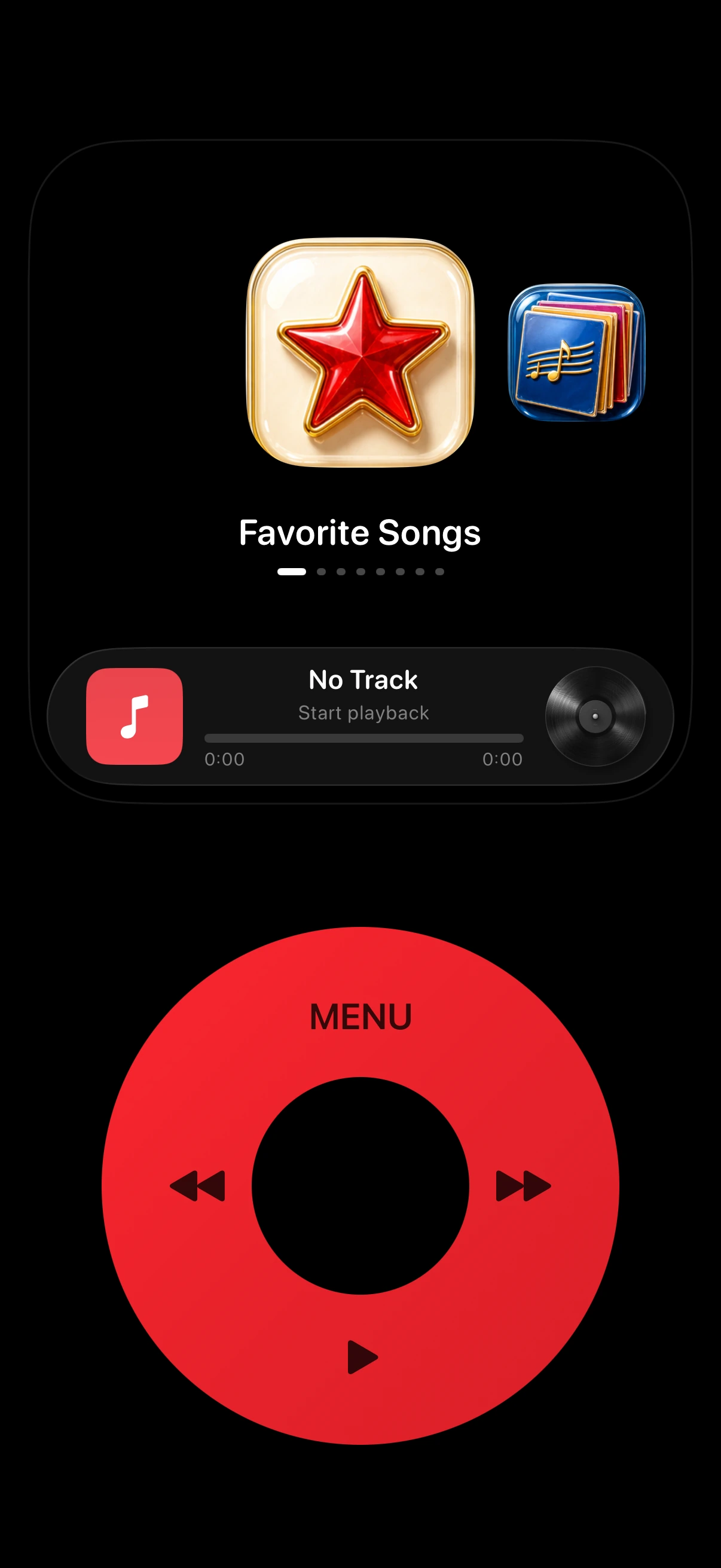
A click wheel that scrolls, clicks, and answers with haptics — just like the original.

Flip

Cover Flow returns: glide through albums, flip one over for the track list.

Listen

Your Apple Music library, served in the simple menus the iPod made famous.

What made iPod music special

The iPod was not the first digital music player, but it was the first that felt right. You did not tap through flat menus — you turned a wheel, felt it click, and flipped through albums in Cover Flow.

Every detail served the music: a screen with one job, controls you could use without looking, and a library that unfolded under your thumb. What people miss is not the hardware. It is the ritual.

Where iPod music went

Apple discontinued the iPod classic in 2014 and retired the last iPod in 2022. The Music app on iPhone is more capable in every measurable way: tens of millions of songs, instant streaming, powerful library tools.

But capability is not the same as joy. Somewhere between autoplay and algorithmic radio, the simple pleasure of turning a wheel and clicking into an album quietly disappeared.

Meet MusicPod: an iPod music player for iPhone

MusicPod is a free iPhone app that brings iPod music back. It recreates the classic interface — click wheel, Cover Flow, simple menus — and streams your Apple Music library through Apple’s MusicKit.

MusicPod is built by an independent developer and is not affiliated with Apple. There is no account and no tracking; playback data stays on your device.

  • Click wheel with native haptics
  • Cover Flow for flipping through albums
  • Full-screen now playing
  • 12 classic body and wheel colors
  • Plays audio files imported into the app

The experience, recreated

The click wheel behaves like the original: slide to scroll, press to select, with haptic feedback at every step. Cover Flow returns with its album-flipping gesture, and now playing gives every song the entire screen.

You can even dress it like the iPod you remember — classic silver, black, or white, the red special edition, or the nano rainbow.

How to start listening

Download MusicPod free from the App Store and sign in with Apple Music. Your favorites, playlists, and albums appear in the familiar menus, one turn of the wheel away.

  • Any iPhone with iOS 17 or later
  • An Apple Music subscription for streaming
  • Imported audio files play without a subscription

FAQ

iPod music on iPhone, answered.

Can you get iPod music on an iPhone?

Yes. MusicPod is an iPod-style music player for iPhone that recreates the classic iPod experience — click wheel, Cover Flow, full-screen now playing — while streaming from your Apple Music library.

Is there an iPod app for iPhone?

Yes — MusicPod. It is a free app that looks, sounds, and clicks like a classic iPod and plays your Apple Music library through MusicKit.

Does MusicPod need Apple Music?

Streaming your library requires an active Apple Music subscription. Audio files you import into the app play without one.

Is MusicPod made by Apple?

No. MusicPod is an independent app by LeaveStyle and is not affiliated with Apple Inc. iPod, iPhone, and Apple Music are trademarks of Apple Inc.

Is MusicPod free?

Yes. MusicPod is free to download on the App Store.

Get MusicPod

iPod music, back on your iPhone.

Free on the App Store — your library is waiting.

Compatible with iOS 17 or later · Apple Music subscription required for streaming