Apple Music library
Your library, one turn away.
Favorites, playlists, albums, and shuffle—right where your thumb expects them.
 Favorites
 Playlists
 Albums
 Shuffle
The iPod music experience, on iPhone
The classic iPod, rebuilt as a native iPhone app — click wheel, Cover Flow, and your entire Apple Music library under your thumb.
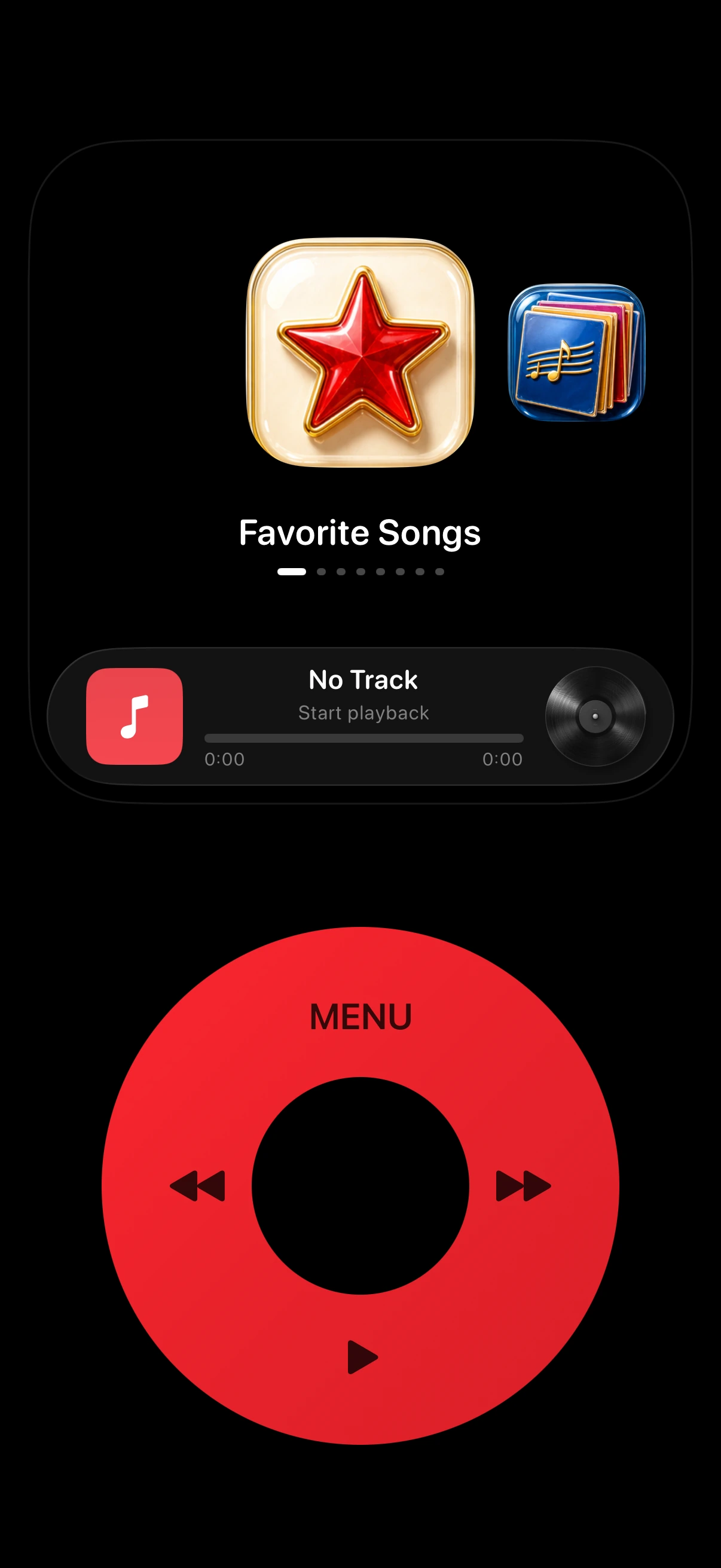
The way iPod music felt — now on iPhone.
01 · Click wheel
Turn to browse. Press to choose. Every step responds with native haptics.
Slide around the wheel or use the arrow keys
02 · The essentials
Apple Music library
Favorites, playlists, albums, and shuffle—right where your thumb expects them.
FavoritesPlaylistsAlbumsShuffleCover Flow
Turn through albums. Flip one over to see the track list.
Strands · Now playing
Artwork, time, and controls—without the noise.
03 · Make it yours
Choose the body, wheel, display, backdrop, direction, and glow.
04 · Native by design
Built with Apple frameworks for smooth playback, precise haptics, and accessible navigation.
05 · FAQ
MusicPod is an iPod-style music player for iPhone. It recreates the classic iPod experience — click wheel, Cover Flow, full-screen now playing — and streams your Apple Music library through MusicKit. MusicPod is an independent app and is not affiliated with Apple.
Yes — MusicPod is an iPod app for iPhone. It brings back the click wheel, Cover Flow, and classic menus, and plays your Apple Music library. Download it free on the App Store.
Yes. MusicPod is free to download from the App Store.
Yes. MusicPod plays your library through MusicKit, so an active Apple Music subscription is required to stream your songs.
MusicPod runs on any iPhone with iOS 17 or later.
Yes. Alongside your Apple Music library, MusicPod also plays audio files you import into the app.
No. There is no MusicPod account, and playback data stays on your device. See the Privacy Policy for details.
Yes. Choose from 12 body and wheel colors, 9 backdrop themes, and two home screen icon styles.
Available now
The iPod music experience for iPhone — now on the App Store.